The Client Onboarding Checklist: How to Automate Trust
Most agencies lose the client before the first pixel is pushed or the first line of code is written. They lose them in the “Gap.”
The Gap is that terrified silence between the client signing the proposal and the actual work beginning. In that silence, “Buyer’s Remorse” festers. The client wonders if they have made a mistake. They wonder whether you are actually good at what you do or just good at selling.
If you do not fill that silence with immediate, authoritative structure, you have already lost control of the relationship.
Client onboarding is not about being polite. It is not about sending a fruit basket or a generic “Welcome aboard!” email. It is a risk management protocol. It is the specific period during which you train the client to treat you. You establish the boundaries, the communication channels, and the consequences of delay.
If you are looking to start an online business or scale an existing agency, your onboarding process is the single most significant predictor of your project’s profitability. A poor onboarding process guarantees scope creep, late content, and midnight WhatsApp messages. A robust one guarantees high margins and respect.
This is not a list of nice-to-haves. This is an exhaustive, forensic breakdown of how to structure a client onboarding checklist that protects your time and secures your bottom line.
- Secure legal and financial commitment first: signed MSA/SOW and cleared deposit before any project work or scheduling.
- Immediately assert authority with a Welcome Packet, Magic Link booking and clear communication rules to prevent buyer’s remorse.
- Automate data collection and workflows (Typeform, Calendly, Zapier) to extract assets, set a client portal, and prevent scope creep.
The Neuro-Economics of Onboarding: Securing Early Momentum
Why do clients ghost you after paying a five-figure deposit? The answer lies in Neuro-economics. The moment a client pays, their brain shifts from a state of “Reward Pursuit” (the excitement of the solution) to “Loss Aversion” (the fear of the spent capital). This is where Buyer’s Remorse is born.
To secure a project’s long-term profitability, your onboarding checklist must function as a dopamine-delivery system. You must combat the Zeigarnik Effect—the psychological phenomenon where people remember uncompleted or interrupted tasks better than completed ones. A messy onboarding process creates a high “cognitive load,” making the client feel overwhelmed and regretful.
The solution is Answer-First Onboarding Design. Do not give them a list of 20 tasks. Give them one task that provides an immediate, tangible win. This is known as the Time-to-First-Value (TTFV).
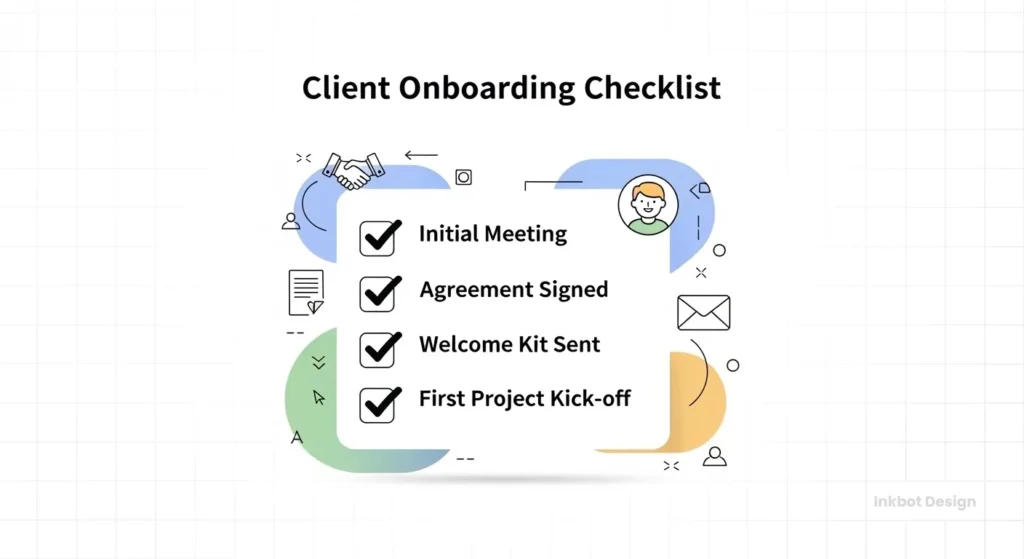
If you are an SEO agency, the TTFV isn’t the final audit six weeks later; it’s the “Quick Wins” report delivered within 24 hours of the kick-off. If you are a web designer, it’s the visual Mood Board sent before they even finish the questionnaire. By providing a “win” early, you anchor the relationship in value rather than administrative friction.
Furthermore, you must utilise Social Proof Anchoring within the onboarding flow. As they move through the checklist, include micro-testimonials or “success snippets” related to the specific phase they are in. For example, on the asset upload page, include a note: “Clients who provide their high-res assets in the first 48 hours typically see their projects launch 12 days faster.”
This uses Normative Influence to drive compliance without sounding demanding.
The 30-Day Rule: According to Bain & Company research, increasing customer retention by just 5% can boost profits by 25% to 95%. The first 30 days of the client relationship—the onboarding phase—are the most critical for retention. If the start is rocky, the client is already looking for the exit.
Phase 1: The “Gatekeeper” Protocol (Legal & Financial)
Before opening a project management tool or introducing the team, you must secure the business. Many creative agencies, eager to please, begin work on a handshake. This is suicidal. You do not onboard a client until they have skin in the game.
1. The Binding Agreement (MSA & SOW)
The Master Services Agreement (MSA) and Statement of Work (SOW) are non-negotiable.
- The MSA covers the general legal relationship (liability, confidentiality, payment terms).
- The SOW covers the specific project deliverables.
The Agency Trap: Using a single “Proposal” as a contract.
The Fix: Use digital signature tools like PandaDoc or HelloSign. Ensure your contract explicitly defines “Out of Scope” work. If you are doing Brand Identity services, specify the number of revisions. If you are doing web design, specify who uploads the content.
2. The Deposit (The “Go” Signal)
Never schedule a kick-off meeting until the deposit has been received in your bank account.
- Standard: 50% upfront.
- Large Projects (£20k+): 30% upfront, 30% milestone, 40% completion.
We have seen agencies schedule team time, reject other leads, and set up servers, only for the client to ghost them on the deposit. The onboarding checklist must have a “Hard Stop” here. If the money hasn’t cleared, the onboarding stops.
3. The Accounting Setup
Once payment is received:
- Set the client up in your accounting software (Xero/QuickBooks).
- Define the billing cycle for future invoices (Net 15 or Net 30).
- Automate the next invoice reminder. Do not rely on your memory to bill them next month.
Phase 2: The “Psychological” Welcome (Immediate Impact)
The moment the deposit clears, the “Buyer’s Remorse” timer starts. You must immediately validate their decision to hire you. This phase is about speed and authority.

4. The Interactive Welcome Packet: From Static PDF to Notion Portals
The “Welcome PDF” is dead. In 2026, sending a static attachment is like sending a fax—it’s a one-way communication that quickly becomes obsolete. The modern Client Onboarding Checklist revolves around a Living Project Portal.
Whether you use Notion, Client-Portal.io, or a custom Next.js dashboard, your “Welcome Packet” must be an interactive environment where the client can see real-time progress, access updated links, and interact with your team.
What your 2026 Portal must include:
- The “Success Path” Visualisation: A progress bar showing exactly where they are in the onboarding journey. Seeing “65% Complete” triggers a psychological urge to reach 100%.
- The “Ask Me Anything” (AMA) Database: An AI-powered search bar that queries your Standard Operating Procedures (SOPs). If a client asks, “How do I upload a video?”, the portal instantly answers with your pre-recorded guides.
- The Live Schedule: An embedded calendar showing your team’s current availability and project milestones. This eliminates the “When will I hear from you?” anxiety.
- The Document Vault: A secure, encrypted area for the MSA, SOW, and NDA. Use IPFS (InterPlanetary File System) or Web3 Storage solutions for immutable record-keeping if you are in the high-security or fintech niche.
The “Easter Egg” Strategy:
To encourage clients to actually read the portal, hide a “Small Win” inside. For example: “Click here to claim your complimentary [Value-Add Item, e.g., Website Speed Audit] once you’ve completed Step 4.” This gamifies the onboarding process, significantly increasing completion rates.
Static vs. Interactive Onboarding
| Feature | Static PDF (Legacy) | Interactive Portal (2026 Standard) | Impact on Client Retention |
| Updates | Requires resending a new file. | Instant, real-time sync. | High — eliminates version confusion. |
| Progress Tracking | Manual check-ins via email. | Real-time progress bars/gamification. | Very High — reduces anxiety. |
| Accessibility | Buried in an inbox. | Bookmarked URL / Desktop Shortcut. | Medium — improves daily workflow. |
| Data Collection | “Send me an email with…” | Embedded forms & direct file uploads. | High — reduces administrative drag. |
| Self-Service | Client must wait for a reply. | AI-powered FAQ & Documentation. | Very High — scale without more staff. |
5. The “Magic Link” Email
Send a templated, automated email that contains the Welcome Packet and a link to book their Kick-off Call.
- Tool: Calendly or Acuity Scheduling.
- Why: Eliminates the “Are you free Tuesday at 2?” email tennis. It forces the client to fit into your schedule, reinforcing your authority.
Consultant’s Note: We often see freelance graphic designers skipping this step because they feel it’s “too corporate.” It isn’t. Clients want leadership. Structure signals competence. If you act casually, they will treat you casually (i.e., pay you late).
Template: The “Magic Link” Welcome Email
Stop writing this manually. Copy this into your email automation tool.
Subject: Welcome to [Agency Name]! Project [Project Name] Next Steps
Hi [Client Name],
Payment has been received—thank you! We are officially live.
To ensure we meet our launch date of [Date], we must proceed immediately through the onboarding phase.
Your 3 Immediate Action Items:
- Read the Rules: Download the attached Welcome Packet (PDF). This covers our office hours and communication channels.
- Upload Assets: Use this [Google Drive Link] to upload your high-res logo and brand files.
- Book the Kick-off: Use the link below to select a time for our strategy session.
- [Insert Calendly/Acuity Link Here]
Note: We cannot begin the design phase until the assets in Step 2 are uploaded.
excited to get started,
[Your Name]
Beyond Automation: Implementing Agentic Onboarding Workflows
In 2026, Agentic Workflows defines the distinction between a “scalable” agency and a “lifestyle” business.
Standard automation (if X happens, then do Y) is no longer sufficient. Modern client onboarding requires autonomous agents—software layers that can perceive, reason, and act to keep the client on track.
The primary friction point in any Client Onboarding Checklist is the “waiting game.” You wait for the client to send the logo, for Google Search Console access, and for the Brand Guidelines. An agentic system does not just send a reminder; it performs an Autonomous Asset Audit.
Using a custom Python script or a sophisticated Make.com scenario integrated with an LLM (Large Language Model), your system can scan a client’s uploaded files in real-time. If the client uploads a low-resolution PNG when the contract specifies a vector .SVG, the AI agent immediately replies: “Hi [Name], I’ve analysed the logo file you just uploaded. It’s a 72 dpi raster file that will appear pixelated on the new site. Could you please provide the .AI or .SVG version instead? Here is a 10-second video showing where your design team can find it.”
This moves the burden of quality control from your project manager to the system itself. By the time a human looks at the folder, the assets are already verified and organised. This isn’t just about efficiency; it’s about Information Gain. You are providing a level of proactive service that reinforces your authority from the very first hour.
To implement this, you should look beyond simple triggers. Integrate your CRM (such as HubSpot or Salesforce) with an AI orchestration layer. This layer should be tasked with:
- Intent Verification: Summarising the client’s questionnaire responses to highlight contradictions (e.g., “The client claims to want a minimal site but provided 400 pages of legacy content”).
- Automated Credential Testing: Using Playwright or Selenium agents to test provided logins for CMS or Hosting accounts immediately, flagging 2FA blocks before the developer starts work.
- Sentiment Analysis: Monitoring the client’s first three emails for signs of anxiety or frustration, triggering an “Executive Intervention” task if the sentiment score drops below a specific threshold.
Phase 3: The “Data Extraction” (Tech & Access)
This is where projects usually die. You are ready to work, but you are waiting for the client to send the high-res logo, the hosting login, or the Google Analytics access. You must extract this data before the kick-off.
6. The Intake Questionnaire
Do not ask questions in an email. Emails get buried. Use a form (Typeform, Google Forms, or Dubsado).
- Design Projects: Ask for competitor examples, brand values, and colour preferences. (See our guide on the Creative Brief for details).
- SEO/Marketing: Request access to Google Search Console, Analytics, and social media accounts.
- Tech: Request domain registrar logins (e.g., GoDaddy, Namecheap).
The 3 “Trap-Door” Questions
Don’t just ask for their logo; ask for their brand identity. Ask questions that reveal if they will be a difficult client. Add these to your Typeform:
- “Who is the sole decision-maker for this project?”
- Why: If they list three people, you are in trouble. Demand a Single Point of Contact (SPOC).
- “What is the absolute hard deadline, and what drives it?”
- Why: “ASAP” is not a deadline. “The trade show is on Nov 14th” is an absolute deadline.
- “Has a previous agency failed on this project? If so, why?”
- Why: If they trash their previous designer, they will likely trash you as well. This is your warning to double the “Revisions” clause in your contract.
7. The Client Portal Setup
Create a home for the client. This could be a shared Google Drive folder, a Notion dashboard, or a project in Asana/ClickUp.
- The Psychology: Giving them access to a “Portal” makes the project feel tangible immediately.
- Structure: Create folders for “Uploads,” “Deliverables,” and “Contracts.”
- Access: Send them the invitation link with a strict instruction: ‘Please upload all logos and images to the ‘Uploads’ folder by Friday.’
8. The Asset Audit
Once they upload the assets, check them immediately.
- Do not wait two weeks to realise the “logo” they sent is a 5KB pixelated JPEG inside a Word document.
- Check the logins work. Two-factor authentication (2FA) is often perceived as a hindrance to speed. Ensure you have the backup codes or a direct line to the person with the phone.
Phase 4: The Kick-Off Meeting (The Alignment)
The kick-off is not a “meet and greet.” It is a strategic session to confirm the scope and timeline.
9. The Agenda
Never enter a meeting without an agenda. Send it 24 hours in advance.
- Introductions: Who is the main point of contact? One person only. “Design by committee” is a failure.
- Scope Review: Read the SOW deliverables out loud. “Just to confirm, we are building five pages, not 6.”
- Timeline Review: “If you approve the wireframes by date X, we launch by date Y. If you delay, the launch moves.”
- Next Steps: Assign specific tasks to specific people.
10. The “Anti-Scope Creep” Talk
This is uncomfortable but necessary. Explicitly state what happens if they change their mind halfway through.
- Script: “We want to be flexible, but to keep the project on budget, any requests outside of this list will be billed at our hourly rate of £X. We will always warn you before incurring extra costs.”
11. The Post-Meeting Summary
Within 2 hours of the meeting ending, send a summary email.
- “As discussed…”
- List the decisions made.
- List the action items.
- This email is your insurance policy. If, three months later, they say, “I never agreed to that,” forward this email.
Measuring the Unmeasurable: Time-to-First-Value (TTFV)
What is not measured cannot be optimised. Most agencies track project “completion” but fail to track Onboarding Velocity. In 2026, the leading metric for agency health is Time-to-First-Value (TTFV).
TTFV is defined as the time between the contract signing and the client receiving their first “Strategic Win.”
- Low TTFV (Good): 1–3 days. The client feels momentum.
- High TTFV (Bad): 10+ days. The client begins to feel “The Gap”—that silence where buyer’s remorse festers.
To lower your TTFV, you must audit your Client Onboarding Checklist for “Dead Air.” These are the days when the project is sitting in the client’s court, waiting for a signature or a file.
| Metric | Ideal Benchmark | Danger Zone | Action if Delayed |
| Contract Signature | < 4 hours | > 24 hours | Automatic SMS reminder. |
| Deposit Clearance | < 24 hours | > 3 days | Pause all internal resource allocation. |
| Asset Completion | < 48 hours | > 5 days | Schedule a 15-minute “Asset Jam” call. |
| Kick-off Held | < 5 days | > 10 days | Re-evaluate project priority. |
By quantifying these stages, you can identify where the friction lies. Is your questionnaire too long? (Lower the IGD). Is your deposit process too complex? (Switch to Stripe or GoCardless).
The “Asset Jam” Session: If a client hasn’t completed their onboarding tasks within 72 hours, do not send a fourth email. Instead, trigger a “15-minute Asset Jam” booking link. The pitch is simple: “We know you’re busy, so let’s jump on a 15-minute Zoom. We’ll screen-share and grab all the logins and files together right now so the project doesn’t fall behind.” This turns a point of friction into a high-touch service moment.
Deep Dive: The State of Client Onboarding in 2026
The landscape of client management is shifting rapidly. We are moving away from manual administration towards “Agentic Workflows.”
The Rise of AI Onboarding Agents
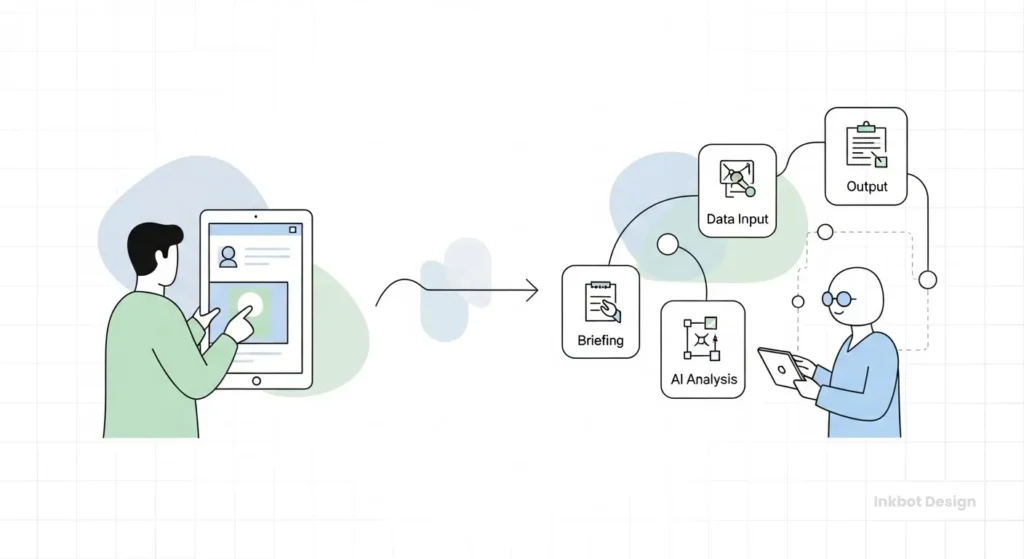
By late 2025 and into 2026, top-tier agencies will no longer manually send these emails. They are using AI agents (via tools like Zapier, Make, or custom Python scripts) to handle the entire “Pre-Work” phase.
Current Innovation:
- Intelligent Chasing: An AI agent monitors the Google Drive folder. If the client hasn’t uploaded the logo by the deadline, the AI sends a polite but firm reminder via Slack or Email, escalating the tone slightly each time.
- Contract Analysis: AI tools can now scan the client’s existing website content during the onboarding phase to pre-populate the creative brief, saving the client from answering basic questions about their history or services. AI document processing can further extend this by automatically parsing contracts and intake forms.
If your agency is still manually copying and pasting email templates, you are already behind the curve. The cost of administrative drag is too high. You should focus on how to attract graphic design clients, not on chasing them for a JPG file.
The “One-Click” Onboarding Recipe (Zapier/Make)
You don’t need a developer to build this. Here is the exact logic to connect your tools.
- Trigger: Stripe — New Charge Succeeded
- Filter: Only run if Description contains “Deposit”.
- Action: Google Drive — Create Folder
- Name: “[Client Name] – Assets”
- Action: Asana/Trello — Create Project
- Template: Use your “Master Standard Operating Procedure” template.
- Action: Slack — Send Channel Message
- Text: “💰 New Client: [Client Name] has paid. Project created.”
- Action: Gmail — Send Email
- Body: Send the “Magic Link” template (above).
The “Red Flag” Early Warning System
I have audited countless agencies where the owners are stressed, underpaid, and burnt out. The cause is almost always “Bad Client Fit,” and the symptoms were visible during onboarding.
The “Can you just…” Test:
If, during the contract signing or deposit phase, the client asks, “Can you just start on the logo while the finance team sorts the deposit?”, that is a Red Flag.
- Reaction: If you say yes, you have taught them that your boundaries are fake. They will consistently push every deadline and payment date.
- The Fix: You must say, “I’d love to, but our system literally won’t let me open a project file until the deposit clears. It’s automated.” (Blame the system. It’s easier).
The “Weekend Warrior”:
If a client emails you at 10 PM on a Saturday during the onboarding phase, do not reply until Monday morning.
- Reaction: If you reply on Sunday, you have just agreed to work every weekend for the duration of the project.
- The Fix: Stick to the office hours defined in your Welcome Packet.
We discuss this dynamic heavily in our Freelance Survival Guide. The onboarding phase is the only time you have maximum leverage. Use it.
Tools of the Trade: The Onboarding Stack
You do not need enterprise software to run a professional onboarding process. Here is a lean stack for SMBs and digital nomads:
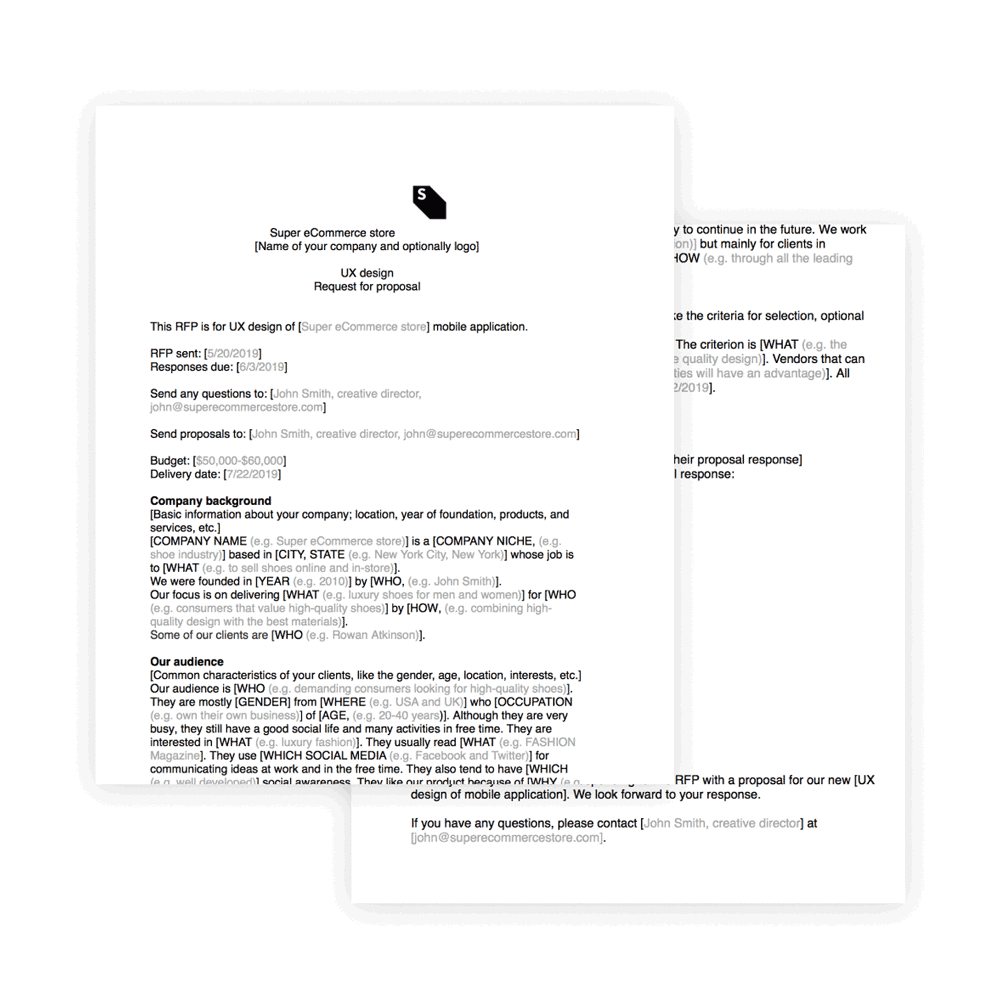
- Proposal & Contract: Better Proposals or PandaDoc. (Looks professional, tracks when it opens).
- Invoicing: Xero or FreshBooks. (Automates the chasing).
- Forms & Data Collection: Typeform or Airtable. (Great user experience for the client).
- Scheduling: Calendly. (Stops the scheduling email dance).
- Project Management: Asana, Trello, or ClickUp. (The central source of truth).
- Video Calls: Zoom or Google Meet (Always record the kick-off; AI tools like Otter.ai can transcribe it for the summary).
For those looking to streamline further, consider that the Best Freelancing Websites often have built-in escrow and onboarding tools, though they take a cut of your fee. For direct clients, build your own stack.
The Verdict
A client onboarding checklist is not administrative busywork. It is the structural skeleton of your agency. Without it, you are a jelly—shapeless, easily pushed around, and incapable of supporting weight.
By implementing these strict protocols—contract first, deposit second, boundaries always—you transform from a “service provider” into a “strategic partner.” Clients respect partners; they exploit servants.
If you are ready to professionalise your operation, start by auditing your current process. Where are the leaks? Where is the friction? Fix the onboarding, and the project will take care of itself.
Frequently Asked Questions (FAQ)
What is the most crucial step in a client onboarding checklist?
The most critical step is securing the signed contract and the deposit. Without these, you do not have a client; you have a liability. Never begin work or schedule kick-off meetings until the financial and legal commitment is secured.
How long should the client onboarding process take?
Ideally, the administrative side (contract, deposit, welcome email) should take less than 48 hours. The information-gathering phase (questionnaires, asset collection) typically takes 3-5 days, depending on the client’s speed.
What should be included in a client’s Welcome Packet?
A Welcome Packet should include your office hours, communication methods (e.g., “No WhatsApp”), expected response times, a project timeline, and a list of immediate “homework” items that the client needs to provide.
How do I prevent scope creep during onboarding?
Prevent scope creep by having a detailed Statement of Work (SOW) signed before starting. During the kick-off meeting, verbally reinforce what is included and explicitly state that additional requests will incur extra fees.
Which tools are best for automating client onboarding?
For most agencies, a combination of PandaDoc (for contracts), Calendly (for scheduling), Typeform (for data collection), and Zapier (for connecting them all) provides a robust, automated onboarding stack.
Should I charge for the onboarding/discovery phase?
Yes. For complex projects, “Discovery” should be a paid standalone service. It involves research and strategy that provides value regardless of whether the whole project proceeds.
How do I handle a client who refuses to pay the deposit?
If a client refuses to pay the deposit, they are no longer considered a client. Do not start work. Politely explain that agency policy requires a deposit to book resources. If they still refuse, walk away. You have dodged a bullet.
What is the difference between a Proposal and an SOW?
A Proposal is a sales document that outlines the value and the general solution. An SOW (Statement of Work) is a legal document defining specific deliverables, timelines, and technical constraints. The SOW protects you; the Proposal sells you.
Why is a kick-off meeting necessary?
A kick-off meeting aligns the client and the team on the vision, timeline, and responsibilities. It is time to clarify any misinterpretations of the contract and establish rapport before the hard work begins.
Can I onboard clients without a meeting?
For small, transactional services (like a £200 logo fix), yes. For high-ticket retainer or project work, no. A face-to-face (or video) meeting is essential to establish trust and authority.


